Laplink PCmover Professional Key (2 Uses)

$152.68

Description

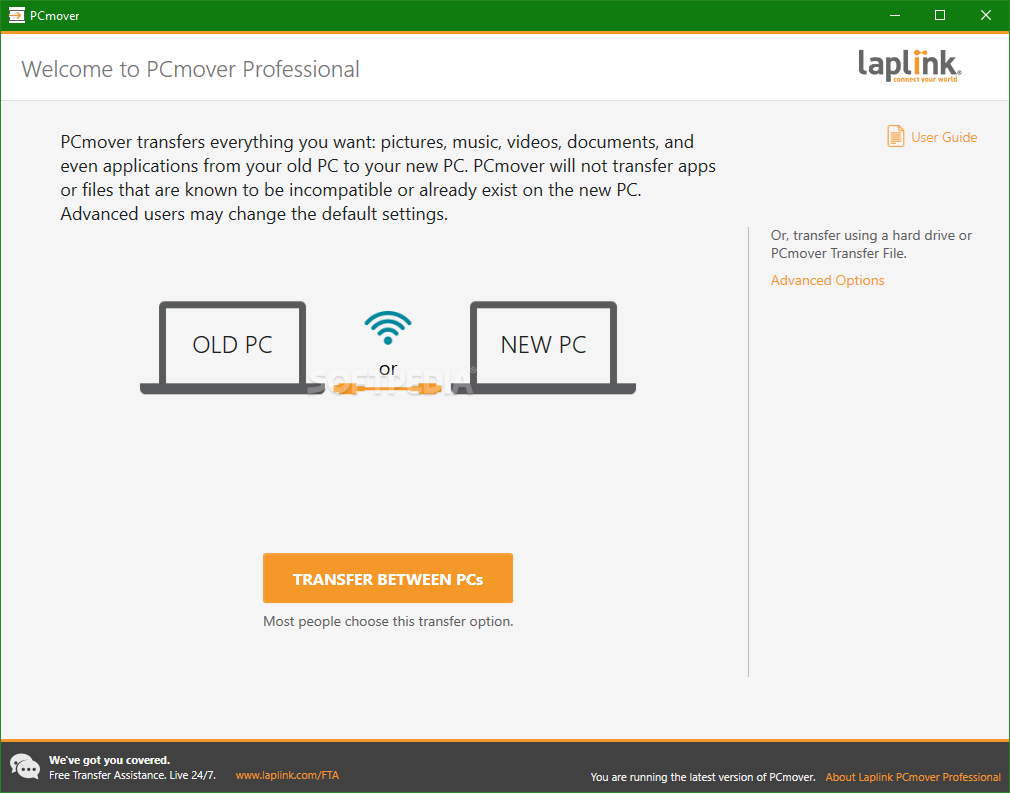
This product is for two uses, which means it allows to move applications, files, and settings two times from 1 PC to your 1 new PC. PCmover Professional is the ONLY software that automatically moves your applications, files, settings, and even user profiles from an old PC to a new one, or old operating system to a new one. And because most transferred applications are installed ready-to-use on the new PC, there’s usually no need to find old CDs, previously downloaded programs, serial numbers or license codes.* PCmover Professional is the easiest way to restore or move to a new PC without leaving anything behind, even when there are different versions of Windows on the old and new PC. Nothing is changed on the old PC and nothing is overwritten on the new PC. *Applications may require re-entry of a license code or re-activating on the new PC. Certain system settings and applications may not be transferred due to their incompatibility with the operating system on the new PC.

Additional information

Developers

Laplink

Genres

Software

Platform

Other

Languages

English

Regional limitations 3

Reviews

There are no reviews yet.

Be the first to review “Laplink PCmover Professional Key (2 Uses)”

Your email address will not be published. Required fields are marked *

Windows
Windows 10 | 8.1 | 8 | 7 | Vista | XP 200 MB of hard disk space
Create an account at: https://laplink.com/mysupport/createProfile.asp Go to register your product. Enter your key code and https://lldownload.blob.core.windows.net/pcmover/pro/11/pcmover_pro_dl.exe PCmover. For more information how to use PCmover check this https://dl.laplink.com/documentation/pdf/pcmover/pcmpro/11/pcmover_11_pro_ug_eng.pdf.


1 in stock

Laplink PCmover Professional Key (2 Uses)

$152.68

Description

This product is for two uses, which means it allows to move applications, files, and settings two times from 1 PC to your 1 new PC. PCmover Professional is the ONLY software that automatically moves your applications, files, settings, and even user profiles from an old PC to a new one, or old operating system to a new one. And because most transferred applications are installed ready-to-use on the new PC, there’s usually no need to find old CDs, previously downloaded programs, serial numbers or license codes.* PCmover Professional is the easiest way to restore or move to a new PC without leaving anything behind, even when there are different versions of Windows on the old and new PC. Nothing is changed on the old PC and nothing is overwritten on the new PC. *Applications may require re-entry of a license code or re-activating on the new PC. Certain system settings and applications may not be transferred due to their incompatibility with the operating system on the new PC.

Additional information

Developers

Laplink

Genres

Software

Platform

Other

Languages

English

Regional limitations 3

Reviews

There are no reviews yet.

Be the first to review “Laplink PCmover Professional Key (2 Uses)”

Your email address will not be published. Required fields are marked *

Windows
Windows 10 | 8.1 | 8 | 7 | Vista | XP 200 MB of hard disk space
Create an account at: https://laplink.com/mysupport/createProfile.asp Go to register your product. Enter your key code and https://lldownload.blob.core.windows.net/pcmover/pro/11/pcmover_pro_dl.exe PCmover. For more information how to use PCmover check this https://dl.laplink.com/documentation/pdf/pcmover/pcmpro/11/pcmover_11_pro_ug_eng.pdf.

1 in stock

Championsu2019 Choice

Fan Favorites

Winning Zone

Championsu2019 Choice

NBA 2K23 Michael Jordan Edition

SPORT

EA SPORTS FC 25

SPORT

Fan Favorites

F1 24 Champions
Edition

SPORT

Rocket League

SPORT

Winning Zone

WWE 2K20

SPORT

WWE 2K22

SPORT